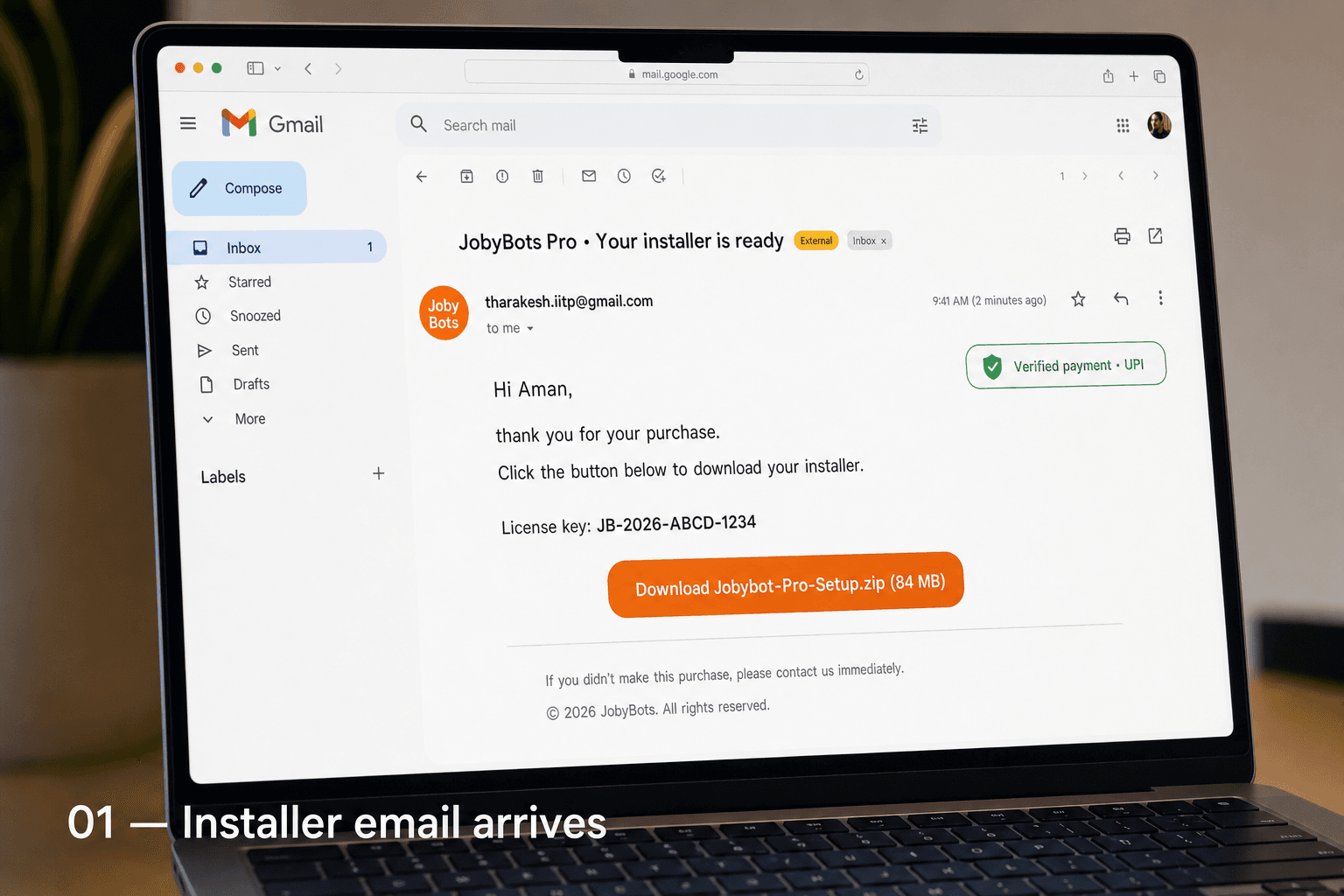
01
Your installer arrives in Gmail
Right after you pay (Stripe or UPI), an email lands in your inbox with your license key and a one-click download link. ZIP is ~80 MB and signed with your name.
Install in 5 minutes
Every step you'll see happens on your own computer. Nothing is uploaded to a server. Your resume, your Gmail, your API key — they live in your folder, not ours. This page is the honest walkthrough of every screen, with no marketing fluff.
Windows install · 10 photoreal steps
01
Right after you pay (Stripe or UPI), an email lands in your inbox with your license key and a one-click download link. ZIP is ~80 MB and signed with your name.
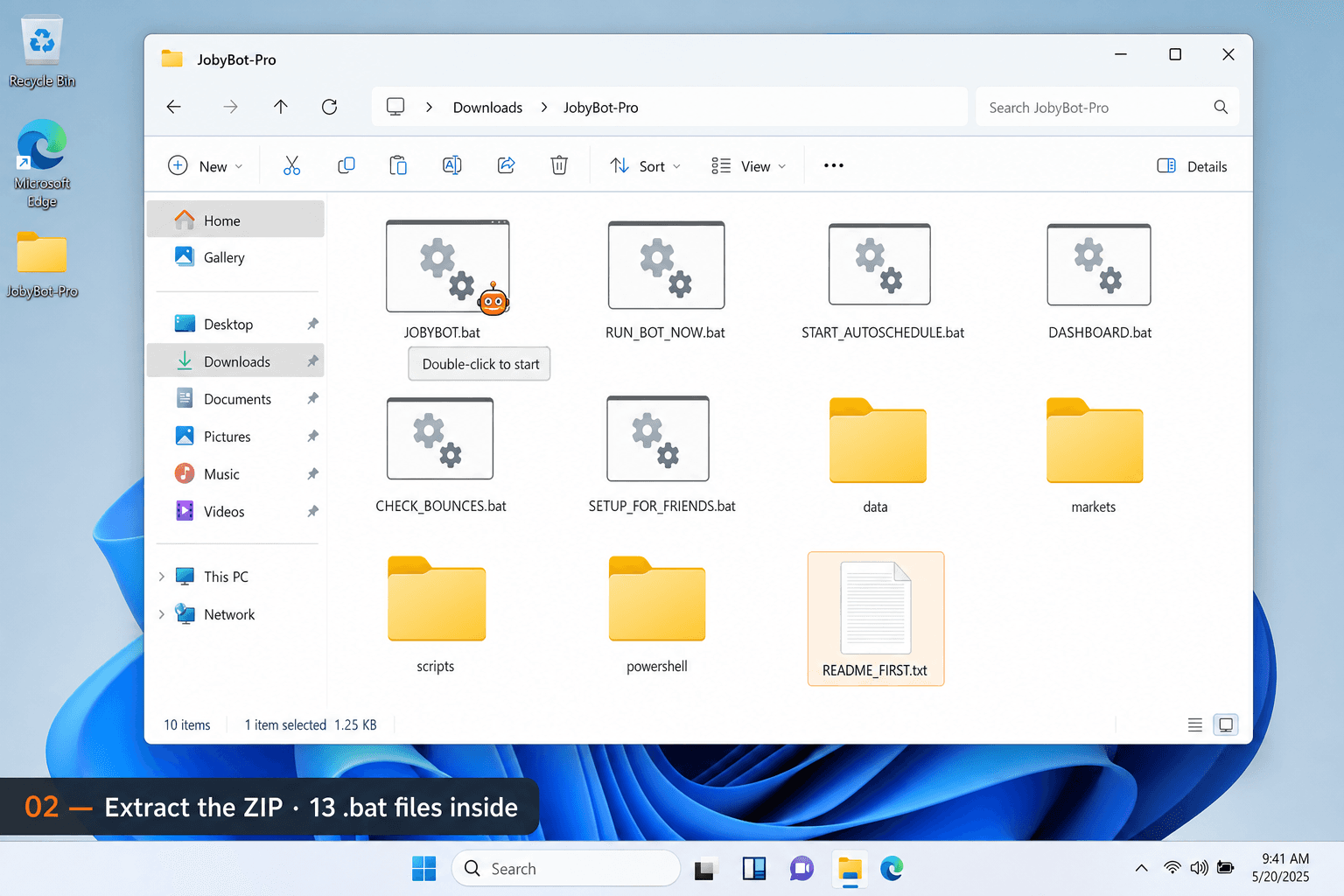
02
Drag the ZIP to Desktop, right-click → Extract. You'll see thirteen plainly-named files: JOBYBOT.bat (the menu), RUN_BOT_NOW.bat (one cycle), START_AUTOSCHEDULE.bat (24/7), and friends. Each one is a single double-click.
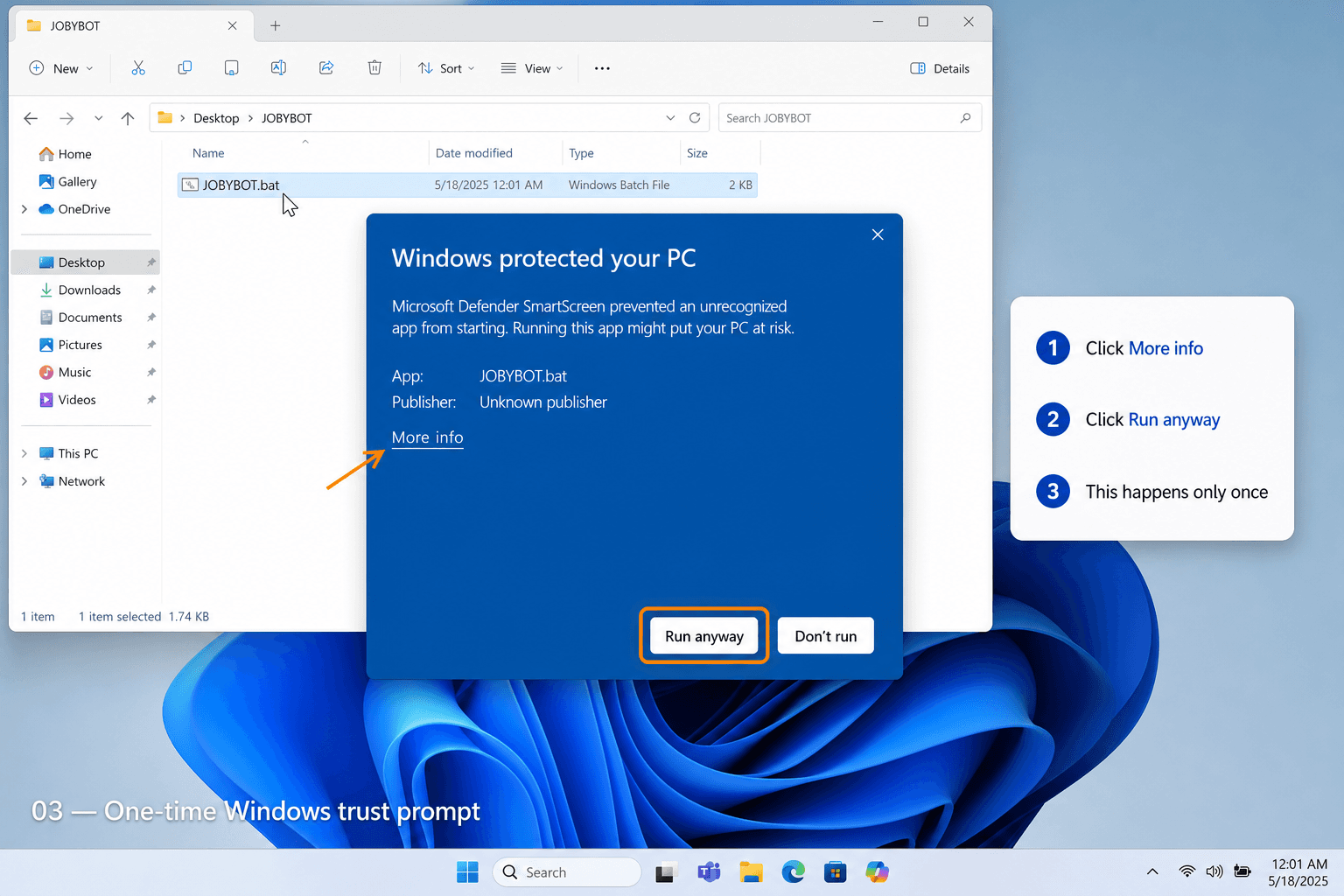
03
Because we're an indie tool, Microsoft's SmartScreen shows a one-time warning. Click More info → Run anyway. This happens exactly once. From then on, Windows trusts JobyBots forever.
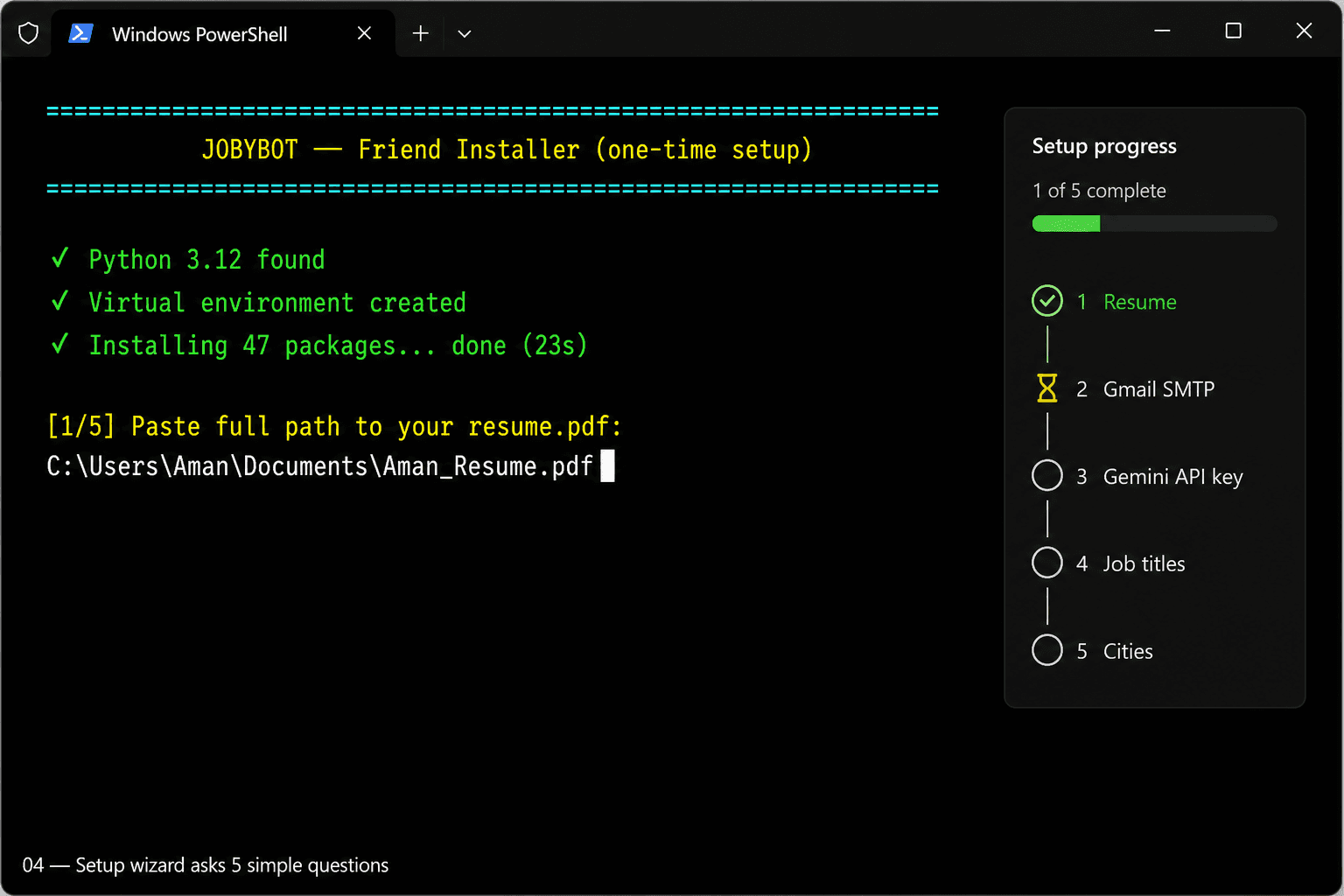
04
A friendly terminal wizard walks you through five questions: your resume path, Gmail address (App Password, not your normal password), Gemini API key (free from Google AI Studio), your target roles, and your cities. Total time: about two minutes.
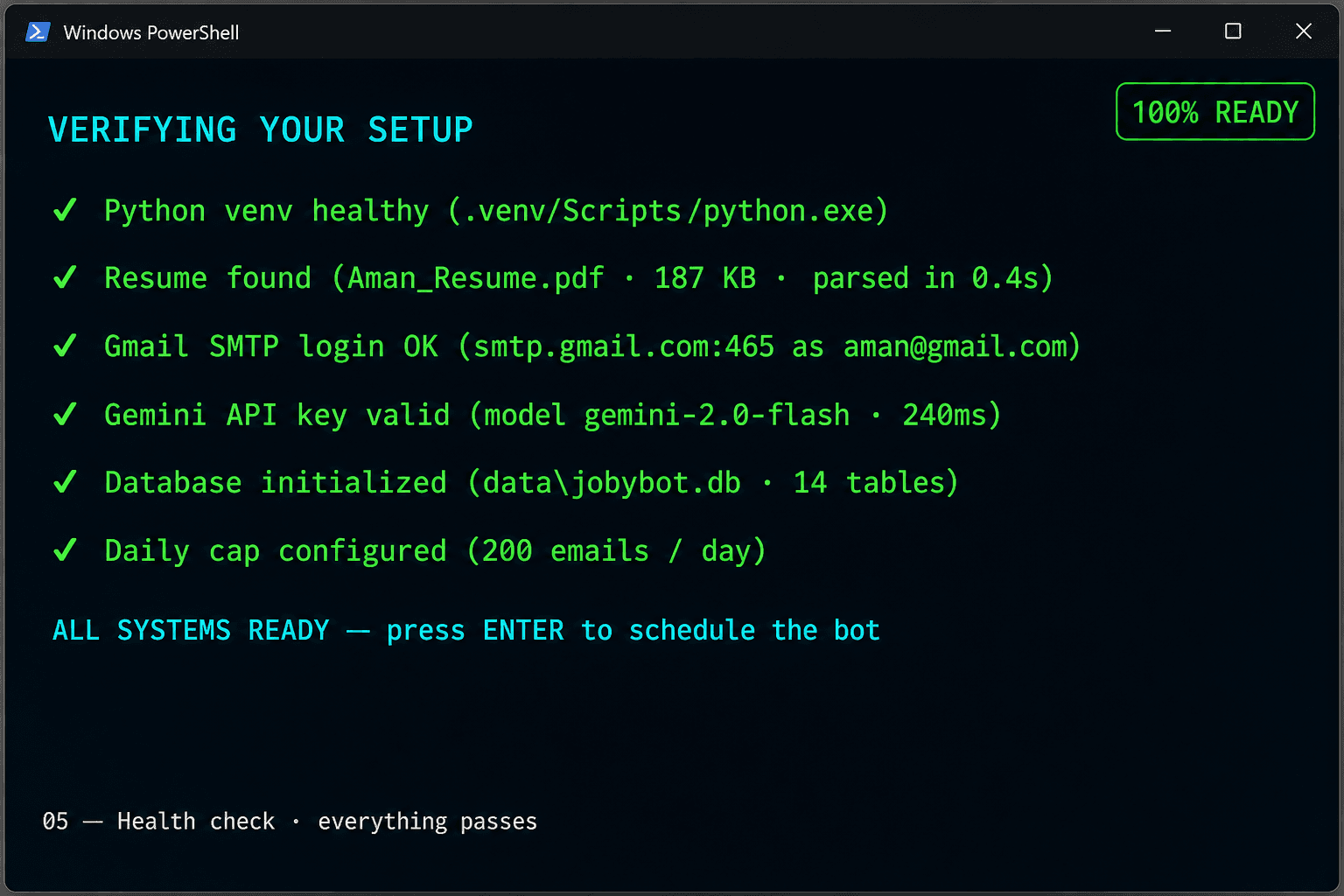
05
Before anything sends, JobyBots tests: Python venv, your resume parses, Gmail SMTP login works, Gemini API key responds, the database initialises, the daily cap is set. Six green checks. If anything fails, the wizard tells you exactly what to fix.
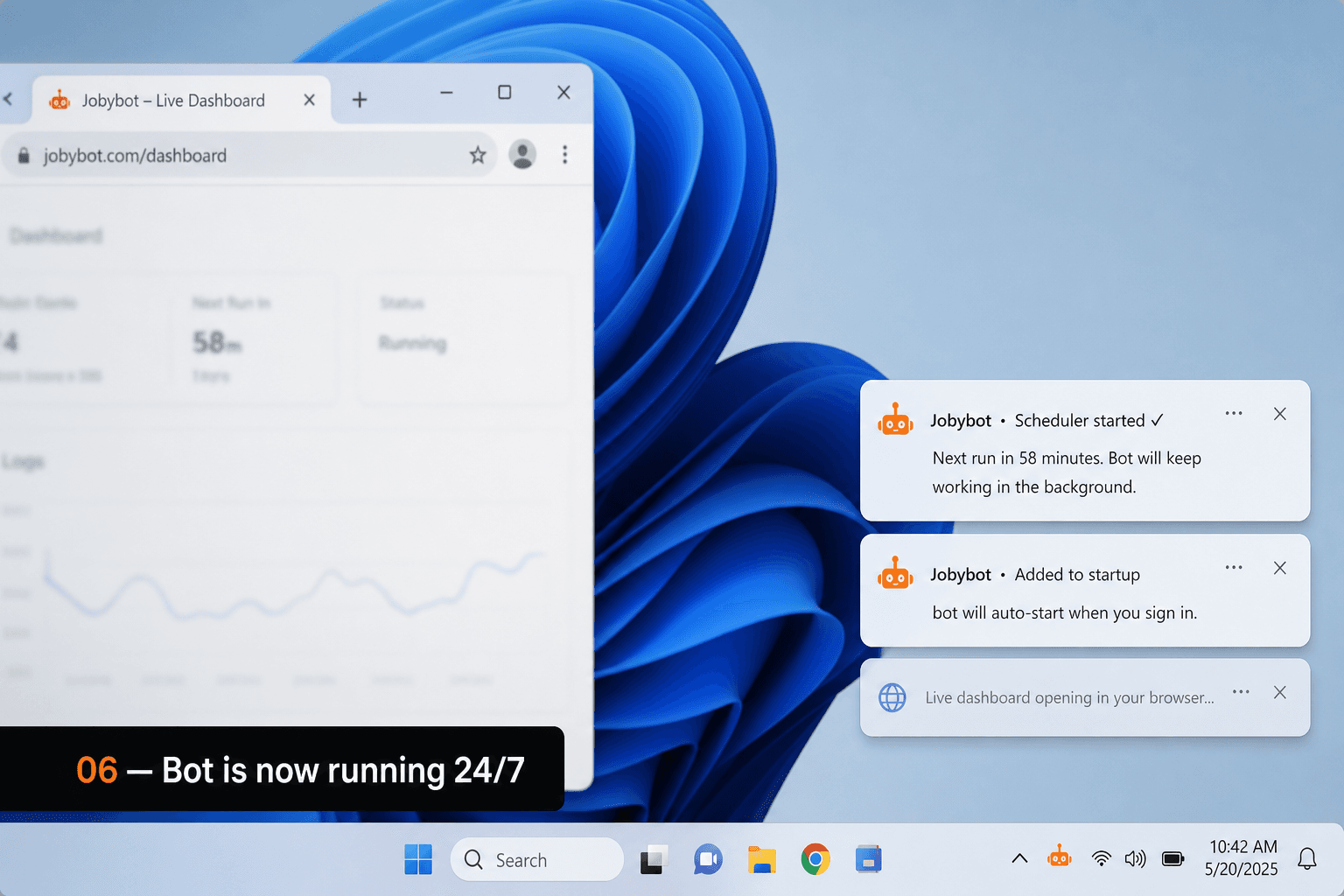
06
Two soft Windows notifications confirm: the scheduler is running in the background, and JobyBots will auto-start every time you sign in. The live dashboard opens in your browser. You can close every window — the bot keeps going.
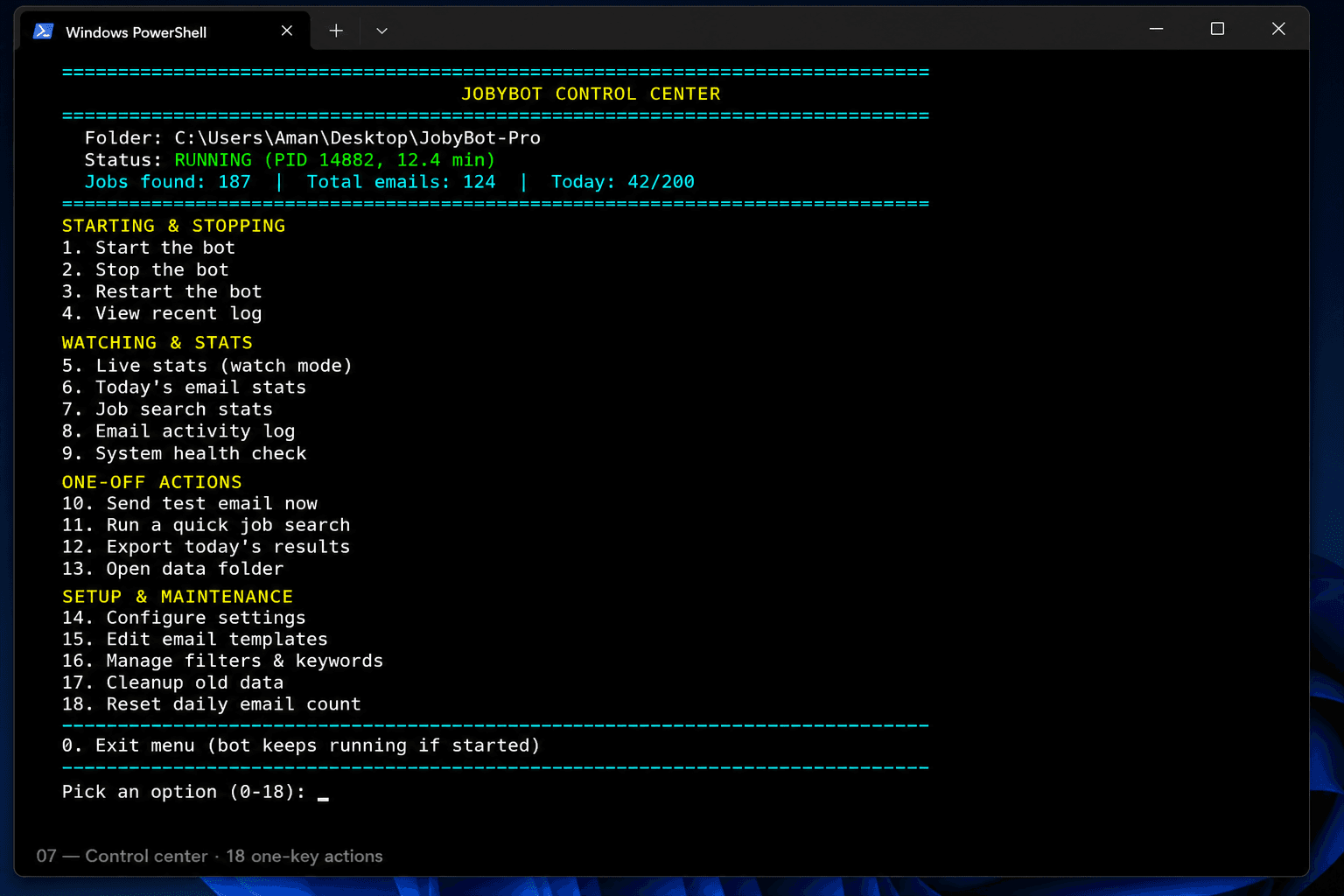
07
Need to stop the bot? Press 3. Want to see today's stats? Press 6. Send a test email? Press 13. The control center is one screen with eighteen colour-coded actions, grouped by intent. No command-line knowledge required.
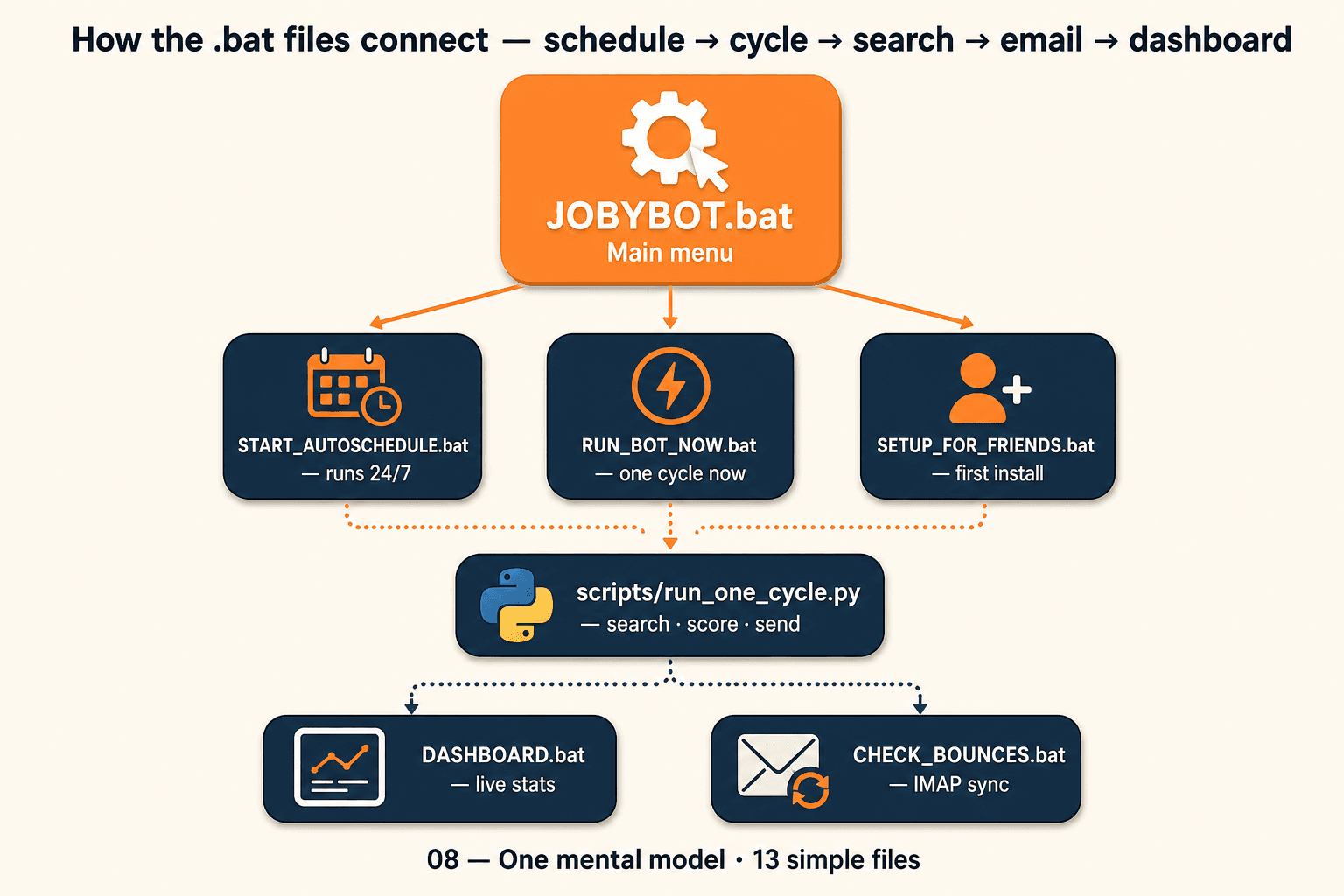
08
Six files, one mental model. JOBYBOT.bat is the front door. Behind it: START_AUTOSCHEDULE for 24/7 mode, RUN_BOT_NOW for ad-hoc cycles, SETUP_FOR_FRIENDS for first install, DASHBOARD for stats, CHECK_BOUNCES for IMAP sync. Everything routes through the same Python cycle: search → score → email.
09
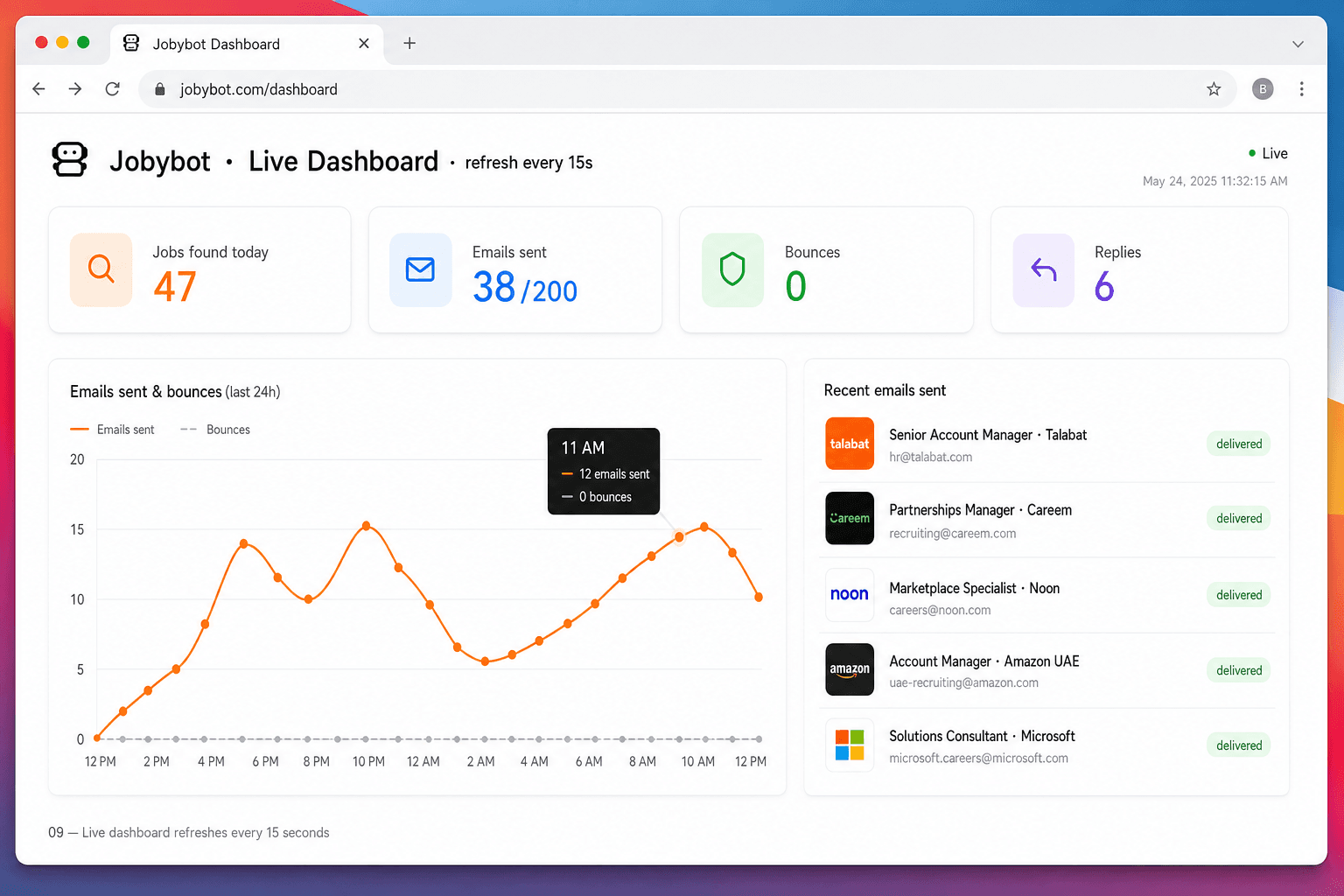
Open the dashboard whenever you want — it shows jobs found, emails sent, bounces (target: zero), recruiter replies, plus an hourly chart. Recent sends appear on the right with company logos and a green delivered pill.
10
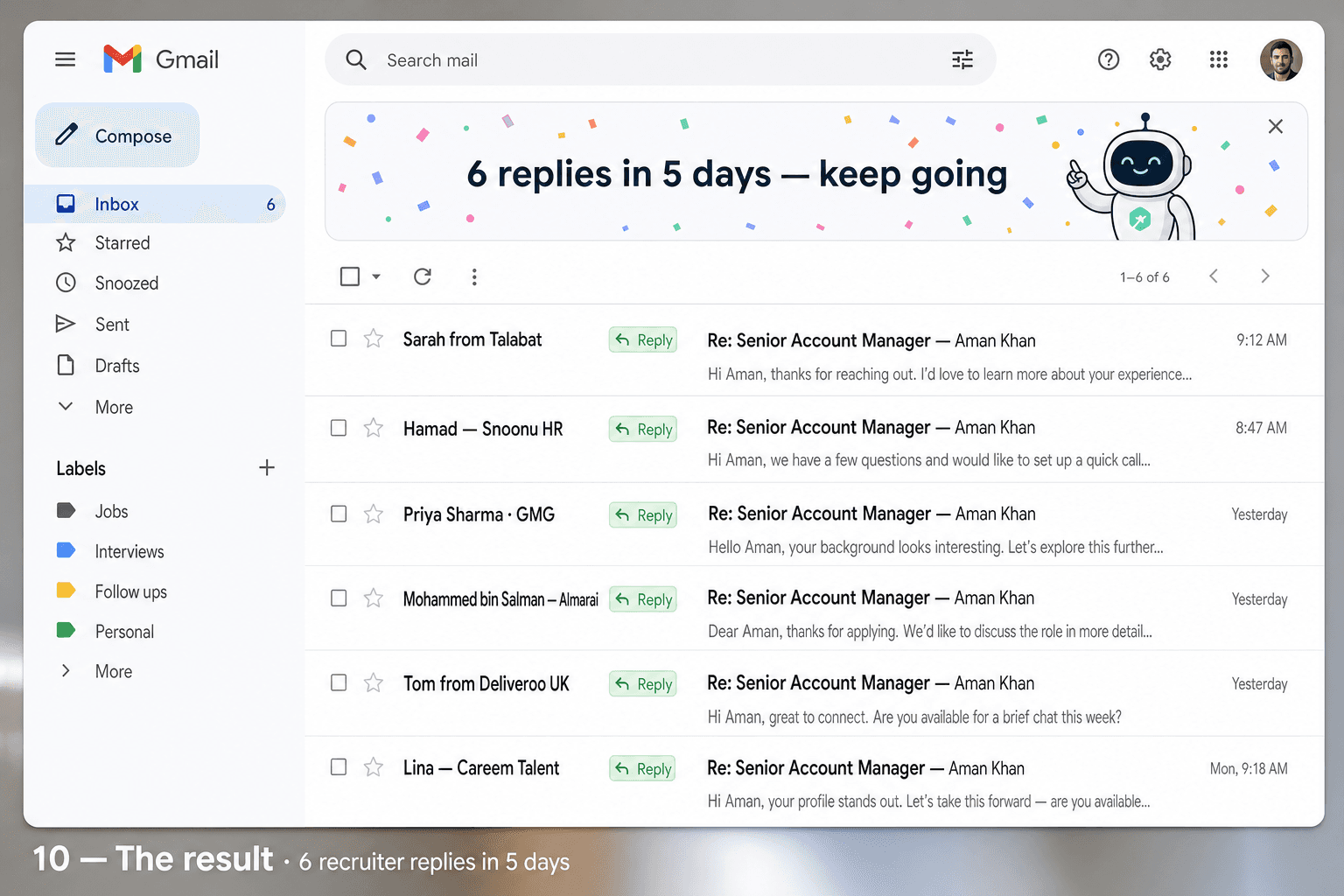
This is the whole product. While you slept, JobyBots searched, scored, wrote and sent personalised emails to the right people. The replies that come back are real conversations — yours to take from here.
macOS install · 6 double-click files
The Mac package is the same JobyBots brain with macOS-native entry points. Six .command files in a mac/ subfolder, a launchd .plist for 24/7 scheduling, and a friendly Setup.command that walks you through Python, dependencies, configuration, and a Gmail+Gemini health check. Tested on macOS 12 Monterey, 13 Ventura, 14 Sonoma and 15 Sequoia. Works on Intel Macs and Apple Silicon (M1 / M2 / M3 / M4).
01
Download the JobyBots-Mac.zip
Your purchase email contains a Mac ZIP. Drag to Desktop, double-click to extract.
02
Right-click → Open on Setup.command
macOS asks once because we're an indie tool. Right-click → Open → Open. Happens once. From then on Mac trusts JobyBots.
03
Setup walks you through Python + .env
Detects Python 3.10+ (offers Homebrew if missing), creates .venv, installs libraries, opens .env in TextEdit.
04
Drop your résumé.pdf in the folder
JobyBots auto-detects the first PDF and reads it as your résumé. Locked to chmod 600 (owner-only).
05
Health check — green ticks
Gmail SMTP test. Gemini API test. SQLite init. Daily cap set. Six green checks → ready.
06
Double-click StartAutoSchedule.command
Installs a launchd agent in ~/Library/LaunchAgents. Bot runs every 30 min, even when you log out.
07
Use the JobyBot.command menu
Front-door menu — run a cycle, open the dashboard, edit settings, view logs. All from one terminal screen.
08
Watch live in the browser
Dashboard.command opens data/dashboard.html — auto-refreshes every 15 seconds while a cycle is running.
Useful Mac commands
Uninstall = drag to Trash
1) Double-click StopBot.command (removes the scheduler).
2) Drag the JobyBots-Pro folder to Trash.
3) That's it. Nothing else lives on your system.
The promise
No subscriptions, no servers, no surveillance. Your data stays on your machine. Five minutes to install. Twenty-four hours to your first batch of personalised emails. A week to your first real conversation.